Each photographer is unique. Every photographer has their own unique signature. It’s in how you perceive light. It’s in the colors that you are most fond of. The color is a reflection of the mood you make. The signature you create represents your style. Customers hire you because of this particular look. Applying it on many photos is a challenge.
It requires many hours of meticulous work. Your wrist is numb from the movement of sliders. Your eyes get tired of looking at your screens. Imagine the idea of teaching your style to a clever assistant. The assistant examines every edit that you create. It learns your recipe to create stunning images.
Then, it implements this recipe to you. The assistant can be considered your custom AI editing profile. It’s a digital clone of your artistic eye. This article will guide you how to create it. The guide will help your computer to learn custom editing style.
Build Your Digital Darkroom Assistant: The Complete Guide to a Personal AI Editing Profile
What is a Personal AI Profile?
Consider the way you edit your style as a language. You can speak this language by using your photos. Your personal AI profile learns this language quickly. This is not just a filter or preset. It’s an intricate, intelligent system. It examines your entire history of decisions. It observes the way you deal with shadows in the forest.
It observes the way you lighten an object’s face. It will remember the exact warmth of the sunset tones. The profile is a potent tool. The profile is fed unprocessed, raw photos. The program returns images that have been edited to your personal voice.
This results in a flawless custom Ai Editing profile. The profile is consistent across each shooting. It eliminates monotonous manual work. It allows you to focus on photography as well as creativity.
Why You Need a Custom AI Profile
The mark of consistency is the professional. It is essential that your Instagram grid must look cohesive. The client galleries have to appear unified. A manual editing process risks variation. It is possible to edit differently in the morning than Friday.
The combination of your mood and fatigue can affect your decisions. The AI profile can eliminate this inconsistency. The profile will apply your style using machine precision every single time.
This also allows you to return the most precious asset: time. Making the profile is a one-time investment. It pays off in a massive way with compound interest. Each future editing process becomes exponentially quicker. It is possible to deliver work on time to clients faster. It is also possible to undertake many more projects without exhausting yourself.
Train Your AI Editor: A 4-Step Framework for Perfect, Personalized Edits
Step 1: Gather Your Best Edited Work
The AI requires a skilled instructor. This teacher is you. Begin by assembling your finest work. Select three to five completed old projects. They should be ones which you’re happy with. They should reflect the present style. You must include both the modified JPEGs as well as those initial RAW files. This is a textbook to use for AI.
Choose from a variety of lighting situations. Use bright and sunny photos. Also, include atmospheric indoor portraits. Also, include flash photography and ambient night images.
This type of photography teaches AI how to modify your primary style. This will show how you deal with the challenges. It is designed to be a strong custom editing profile that can be used everywhere.
Step 2: Choose Your AI Platform
Choose the platform specifically designed for personalization. There are a few AI editors that can create truly customized profiles. They may offer general “styles.” It is essential to have a solution designed exclusively for photographers.
Imagen AI is a market top choice for this job. It was designed to learn custom editing style. Other platforms are Aftershoot as well as FilterPixel. Explore their main offerings. Make sure they develop a distinctive model specifically for the needs of.
The platform will help you with the process of uploading your photo pairs. This process is known as “training” your AI model.
Step 3: Upload and Train Your Model
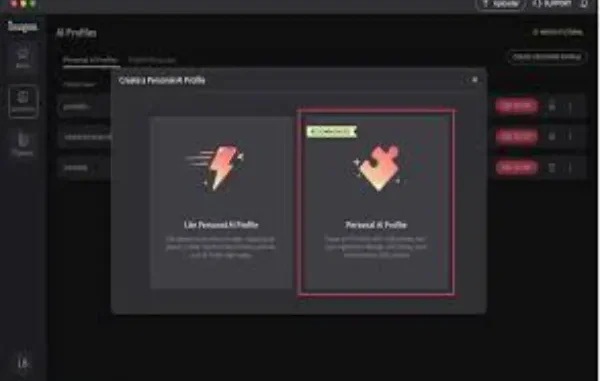
This is the most important technical process. Connect to your preferred AI platform. Select the area to make an entirely new profile. It is then time to upload the profile you have chosen RAW as well as JPEG pairings. The platform’s algorithms are now analyzing them.
The platform compares the initial data with the final edit you made. It calculates exactly the modifications that you did. The analysis could take some hours.
The AI analyzes millions of data points. It develops adjustments to your exposure, contrast, and hue. It is able to make local settings for skin as well as sky. It’s a thorough analysis of your artistry. It is a real digital apprentice.
Step 4: Test and Refine Your Profile
When training has been completed, test your new profile. You can upload new RAW files from a recent shooting. Make sure to not utilize images of the training collection. Use this test gallery with your brand newly created AI profile. Save the results and study them carefully.
Check to ensure accuracy. Do the colors align with your style? Are the skin tones right? Verify consistency throughout the gallery. The goal is to create a custom Ai editing profile that will get the ninety percent mark.
There is no need to make a few tweaks. If your results don’t match, it could be that you require further training data. Create a second fully-fledged gallery in your profile and train again.
The Core Principles for Effective Training
The quality of data is superior to the quantity. Five beautifully edited galleries are superior to 10 mediocre ones. Be sure that the training edits represent your top work. The edits must be neat and free of a few one-off designs.
Make sure you represent your entire range. The AI needs to know the way you modify backlit scenes. It will be able to observe the way you deal with the fluorescent lighting.
Display your style completely. This allows AI AI learn to edit in a custom style to fully not only part of the time.
Integrating the Profile Into Your Workflow
The profile you have created on your AI profile does not serve as a substitute for your. It’s your best first draft. Introduce it in the first phase of the editing process. Following a photo shoot, upload all your RAWs onto AI. AI platform. Make sure that your profile makes an image’s base edit for every image.
Upload these edited AI photos to Lightroom and Capture One. This means that you’re not at the beginning of the road. The starting point is ninety. Now is the time for creative refinement.
Do the selective adjustments. Make sure you are satisfied with your crop as well as your composition. Finish with your artistic embellishments. This workflow is quicker and much more enjoyable.
Maintaining and Evolving Your Profile
Your style is likely to change and grow with time. The look and feel of your AI profile will evolve along to reflect your personal style. Make sure for update your profile each six to 12 months. Make sure you are training it to reflect your latest and most effective work.
The result is that your “custom” Ai Editing profile is up-to-date. This ensures that it is always in line with you in your evolving artistic style.
You can save your previous profile versions. They may be needed for old client needs. It is also possible to compare your personal style journey. It is a great archive for your growth.
The Creative Freedom It Unlocks
The paradox is that automation can lead to an increase in creativity. When you automatize your technical base edit, you can free up mental space. It allows you to spend longer time working on more sophisticated compositing.
It is possible to experiment using new creative concepts on select images. It is no longer a struggle to get in a million tiny adjustments.
The ai editing profile will handle the foundational uniformity. This allows you to take more creative risks where it counts. This elevates the quality of your work beyond consistent to exceptional.
Conclusion
The creation of a personal AI profile is an investment into your future. It codifies your unique visual language. It packs your years of experience into an effective tool. The tool is your custom AI editing profile, transformed into an effective force multiplier. It helps ensure your style’s consistency in every work. It helps protect your time as well as your creative energy.
The process helps the AI to learn custom editing style by you, the artist. It’s the result of a collaboration with human intuition as well as machine precision. Make use of this technology rather than as a tool and not as a final apprentice.
It will learn from you, to help you focus only on what is most important, that is capturing and seeing every beautiful moment. Begin making your profile now. Scale your signature style tomorrow.
Leave a Reply