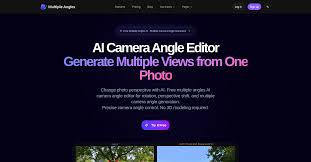
Visual content in 2026 demands more than a single static shot. Audiences expect to see products, characters, and concepts from multiple perspectives — and creators who can deliver that stand out instantly.
The good news: you no longer need expensive 3D software or a photography studio to achieve this. AI-powered 3D Camera Control tools have made it possible for anyone — from solo designers to marketing teams — to generate precise multi-angle visuals from a single image, in seconds.
The Real Problems Creators Face Without Proper Camera Control
If you’ve ever tried to manually produce multi-angle visuals, you know how painful the process can be.
Expensive software barriers — tools like Blender or Cinema 4D require months of learning before you can produce anything usable. Most creators simply don’t have that time.
High photography costs — Booking a studio to reshoot a product from five different angles costs money, coordination, and scheduling. For e-commerce sellers managing hundreds of SKUs, that model doesn’t scale.
AI inconsistency problems — Standard image generators struggle to maintain character consistency across angles. A face, outfit, or product that looks right from the front often breaks apart when you shift the perspective even slightly.
Slow iteration cycles — When a client asks for a last-minute perspective change, having to redraw or reshoot from scratch means hours lost. Designers and game developers face this constantly.
These friction points add up fast — and they’re exactly what a dedicated 3D camera control solution is built to eliminate.
How SuperMaker’s 3D Camera Control Works
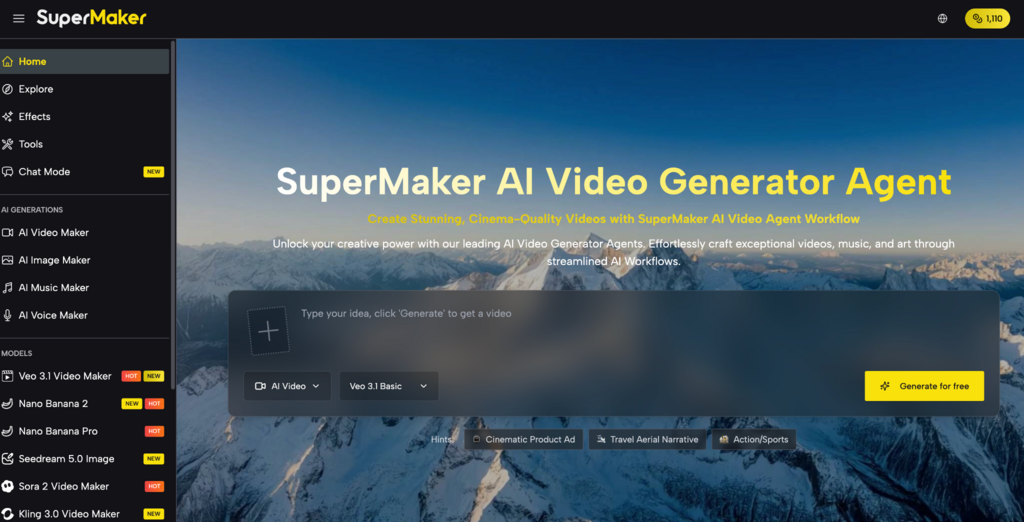
SuperMaker AI offers a dedicated 3D Camera Control tool built specifically for creators who need precise perspective generation without the complexity of traditional 3D pipelines. Here’s what makes it stand out.
Precision Axis Control with Smart Depth Mapping
At the core of the tool is a smart depth mapping engine that analyzes the 3D geometry hidden inside your 2D image. This allows the AI to manipulate the X, Y, and Z axes realistically — so when you shift the camera angle, the subject’s proportions, textures, and spatial relationships remain intact.
The result is high-fidelity multi-view image output that respects the physics of real perspective, rather than simply warping or stretching pixels the way basic filters do.
AI-Powered Multi-Angle Generation with Character Consistency
One of the hardest problems in AI image generation is keeping a character, face, or product visually consistent as the angle changes. SuperMaker’s multi-angle generation engine solves this directly — facial features, clothing details, product textures, and structural elements stay uniform across all generated views.
For game developers building sprite sheets, or e-commerce sellers needing 360-degree product imagery, this character and asset consistency is a game-changer that saves hours of manual correction.
Cloud-Based Processing — No Downloads, No Installation
The entire tool runs in your browser. There’s no software to install, no GPU requirements, and no file size limitations that require a powerful local machine. The cloud handles all the heavy processing behind the scenes, making professional-grade 3D camera control accessible on any device.
How to Generate Multi-Angle Images with SuperMaker 3D Camera Control
Using the Supermaker 3D Camera Control tool takes about three steps and can produce results in under a minute.
- Upload your image — Select any high-quality JPG or PNG file. This could be a product photo, a character illustration, a portrait, or an architectural sketch. The tool supports files up to 10MB.
- Choose your perspective settings — Use the intuitive camera angle sliders to define your target viewpoint. Adjust horizontal rotation, vertical tilt, and zoom to get the exact angle you need.
- Generate and preview — Click Generate. The AI processes the depth map and renders your new perspective view. Review the result in the preview window.
- Download your asset — Once satisfied, download the high-resolution PNG file. It’s ready for immediate use in marketing materials, game engines, product listings, or client presentations.
No 3D modeling skills required at any step. The interface is designed so that a first-time user can produce professional results without a tutorial.
Who Should Use 3D Camera Control?
The tool covers a surprisingly wide range of professional use cases:
- Game developers — generate full character turnaround sheets and consistent sprite assets from a single reference image, cutting asset production time from days to minutes
- E-commerce sellers — Show products from top-down, isometric, and side views without booking a photography studio for every angle
- Digital artists & illustrators — Use generated angle references to maintain anatomically correct foreshortening across a series of illustrations
- Marketing agencies — Adapt a single hero image into multiple layout-optimized assets for social media, banners, and print without additional shoots
- Architects & interior designers — Transform 2D renders into multi-perspective client presentations that are far easier to understand than floor plans
3D Camera Control Tool Comparison in 2026
| Tool | Core Strength | Best For | Free Access |
| SuperMaker AI | AI depth mapping + multi-angle consistency | Designers, devs, e-commerce, agencies | Yes |
| Blender | Full 3D modeling environment | Professional 3D artists | Yes (steep learning curve) |
| Adobe Firefly | Generative image editing | Adobe ecosystem users | Limited |
| Wonder Studio | Character animation from video | Film & VFX teams | No |
| Stable Diffusion (ControlNet) | Advanced pose & angle control | Technical AI users | Yes (requires setup) |
SuperMaker’s key advantage is that it delivers precise, consistent multi-angle generation through a beginner-accessible browser tool — no installation, no technical configuration, and no 3D modeling background required. Competing solutions either demand significant technical skill or don’t offer true perspective-consistent output.
Start Creating Multi-Angle Visuals Today
3D camera control used to be a skill reserved for professional 3D artists. In 2026, it’s a one-click operation.
If you’ve been held back by the complexity or cost of generating multi-angle images, SuperMaker removes every barrier. The free plan lets you get started immediately — no credit card, no download required.
Visit SuperMaker AI and try the 3D Camera Control tool for yourself. Whether you’re building a game, running an online store, or pitching a design to a client, there’s a faster way to get the visual angles you need.
Leave a Reply