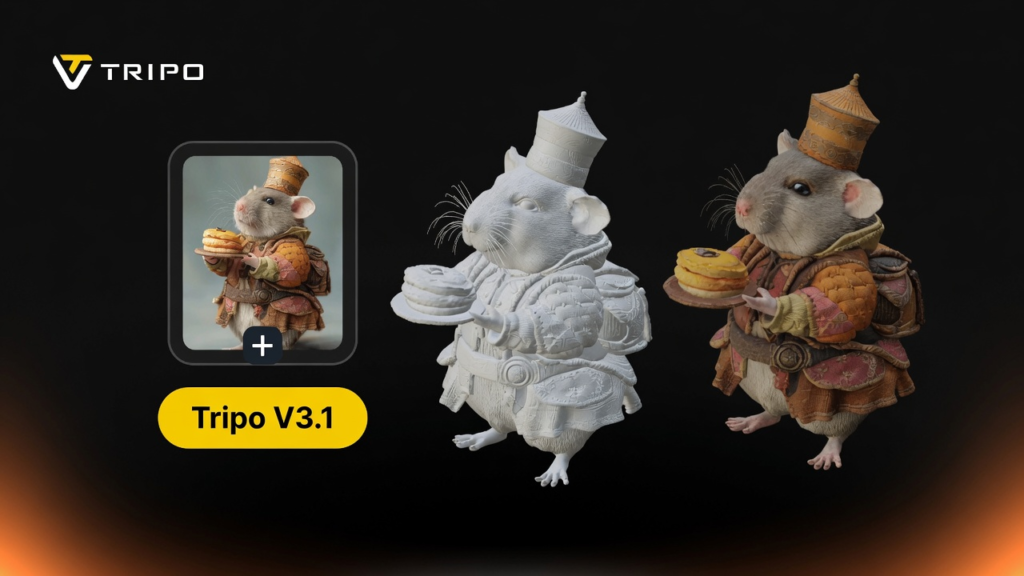
With the help of text-to-3D technology, ideas can be quickly converted to visual assets. Creators today want quicker design and visualization prototyping. This transition is easy with intelligent automation tools such as Tripo 3D. These systems transform written prompts into a structured mesh quickly. This will reduce the time of manual modeling and improve creative speed and flexibility. Consequently, concept development is easier and extremely efficient.
Understanding the Power of Text-to-3D Generation
Natural language can be converted into structured digital geometry using text-to-3D generation. The system comprehends the description of the objects and converts this to spatial models. The AI 3d model generator lets users make assets without having to know anything about 3d modeling. The technology analyzes shape relationships, relationships of materials, and dimensions. It then builds coherent 3D structures based on the semantic understanding. This process facilitates visualization by designers, developers, and artists. It also decreases reliance on the normal complex 3D software tools. The result is faster concept exploration and more creative decision making on an array of industries.
How AI 3D Model Generator Converts Words into Meshes
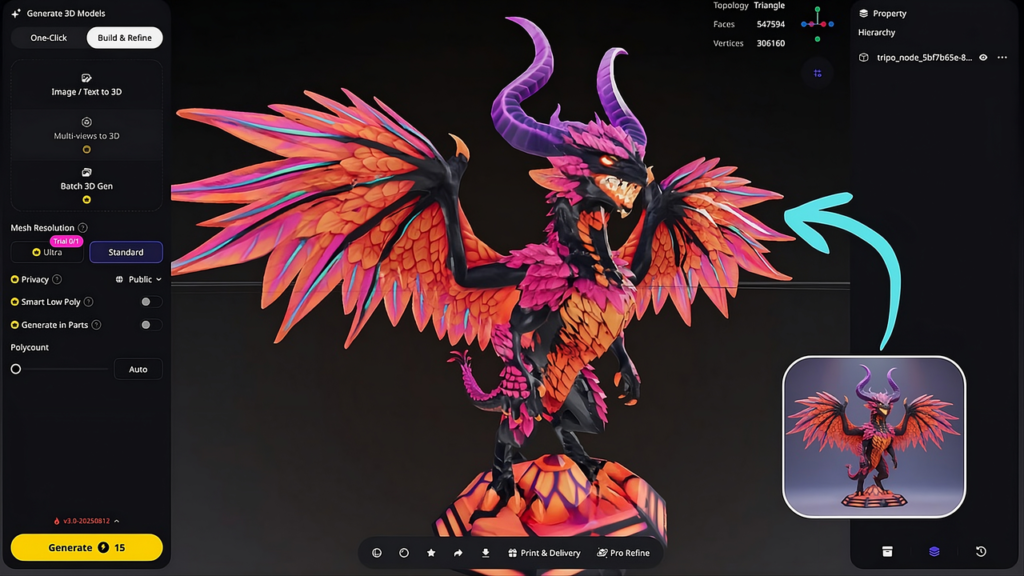
When no image is available, text prompts can directly trigger text to 3d model creation workflow. Parsing the prompt and recognizing the objects is the beginning of the text-to-mesh process. The system identifies the key nouns, qualities, and spatial relationships stated in the description. It then produces base geometry based on learned shape patterns and datasets. Next, structural mesh construction, making sure that the edges and surfaces are aligned properly. Tripo 3D, depending on input quality and settings, optimizes topology to ensure that geometry is clean and easy to work with. The system also keeps the accuracy of intent by cross-referencing model features with descriptive cues. This process ensures that the end meshes are stable, usable, and editable assets for the downstream process.
Writing Better Prompts for More Accurate 3D Results
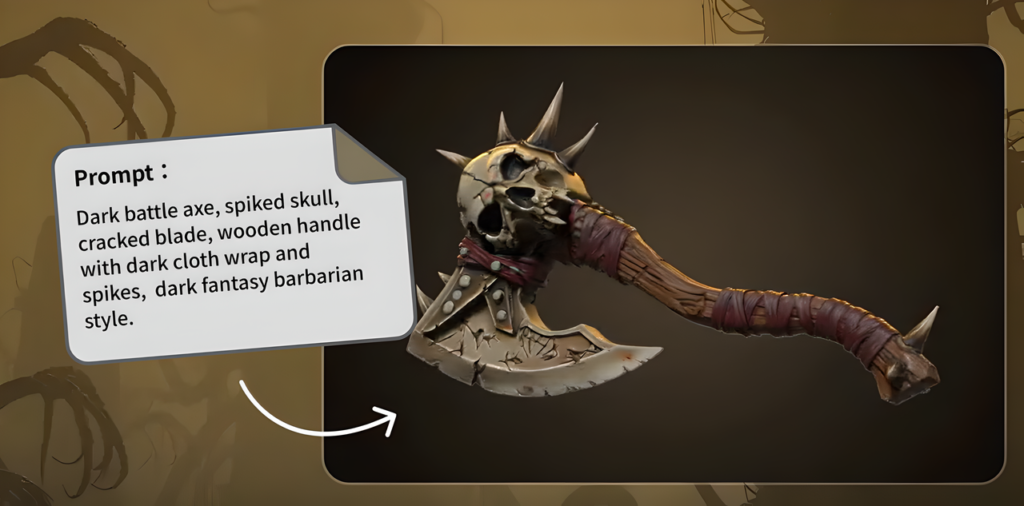
The quality of the prompts can greatly affect the accuracy of the model and the quality of the images. Function, size, and shape of objects should be clearly described. The material information (wood, metal, plastic, etc.) should be included. Style reference such as realistic, cartoon, or industrial, enhance alignment. Proportions must be given to make sure that the scales are interpreted correctly. Contextual elements provide context to the system in terms of the environment and use. Lighting or hints of surface texture are also added to improve output fidelity. Clear and structured input results in fewer redundant iterations in the generation results and more consistent iterations.
The Journey from Conceptual Text to Editable 3D Asset
It begins with a timely upload to the Tripo 3D platform. Then, the system does the semantic analysis and structural mapping. AI comprehends the description and constructs a basic 3D shape. Then the geometry and spatial structure are described in detail using mesh generation. Surface Texturing – Adding properties to make it look realistic. Refine tools add and subtract topology, proportions, and visual detail. Last but not least, export preparation helps ensure compatibility with external software. This pipeline allows you to convert your ideas into a fully usable and editable digital asset to be used in your production environment.
Steps to convert text prompts to meshes via an AI 3D model generator, for instant 3D creation
Step 1: Prompt-Based Model Initialization
- First access Tripo 3D and signup. Then open the “Model” tab from the left menu bar.
- Select “HD Model” to start high-detail generation.
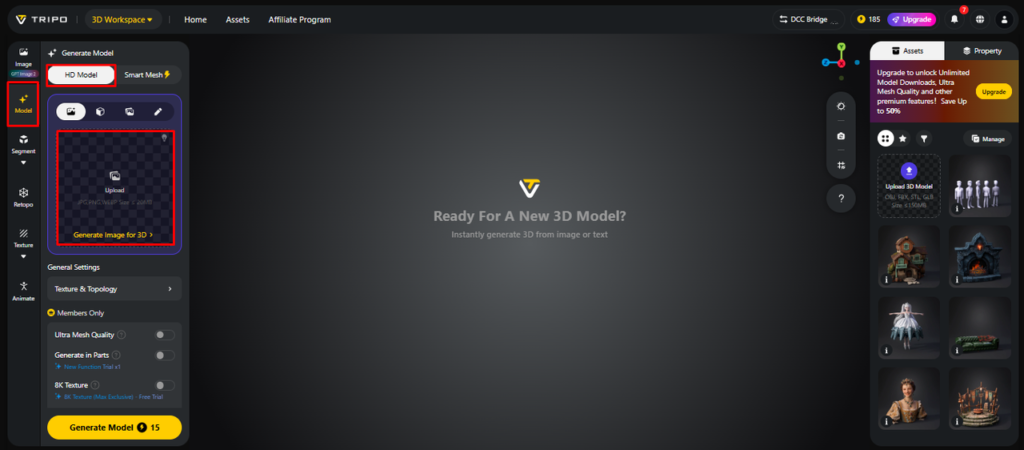
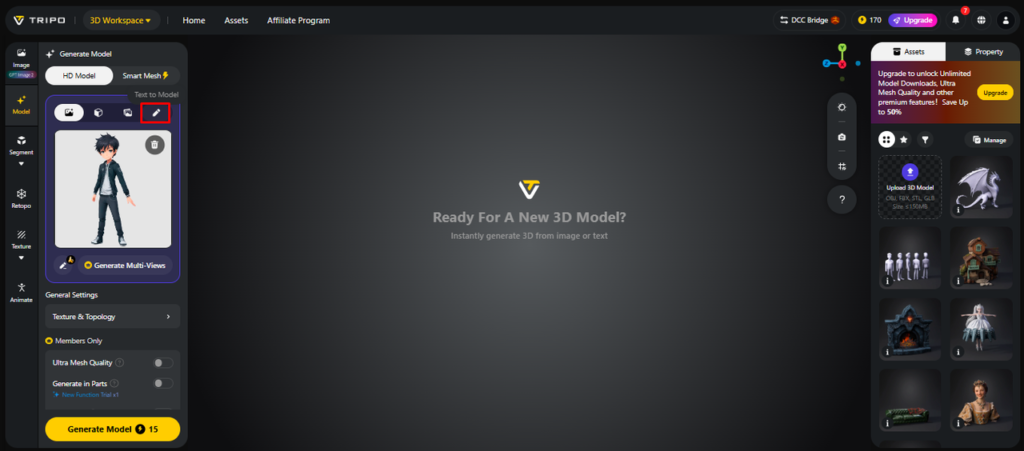
- Instead of images, choose “Text to model” and enter a descriptive prompt.
- If needed, you can still upload references using the “Upload” tab.
Step 2: Mesh Generation Controls
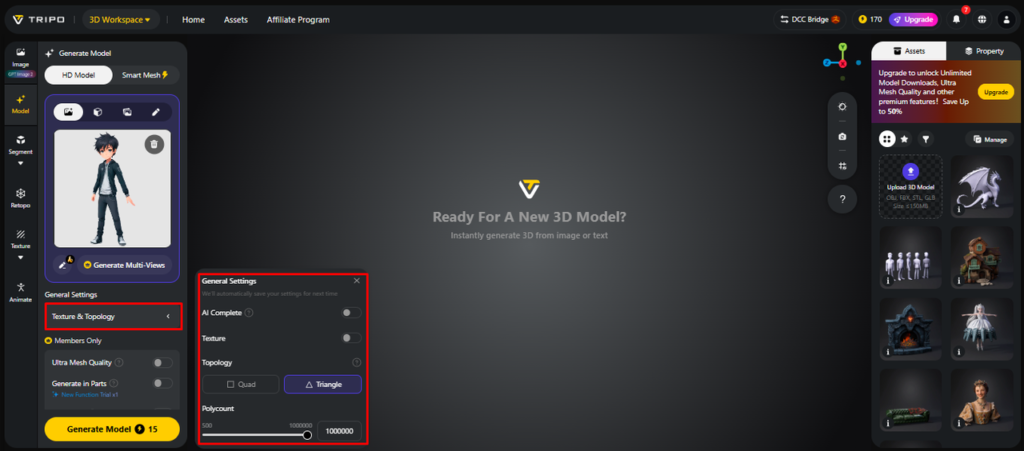
- Inside “General settings”, enable “AI complete” for automatic mesh creation.
- Adjust “Texture Quality” to control the visual fidelity of generated meshes.
- Turn on “PBR” for realistic surface behavior.
- Pick “Quad” or “Triangle” topology depending on final use.
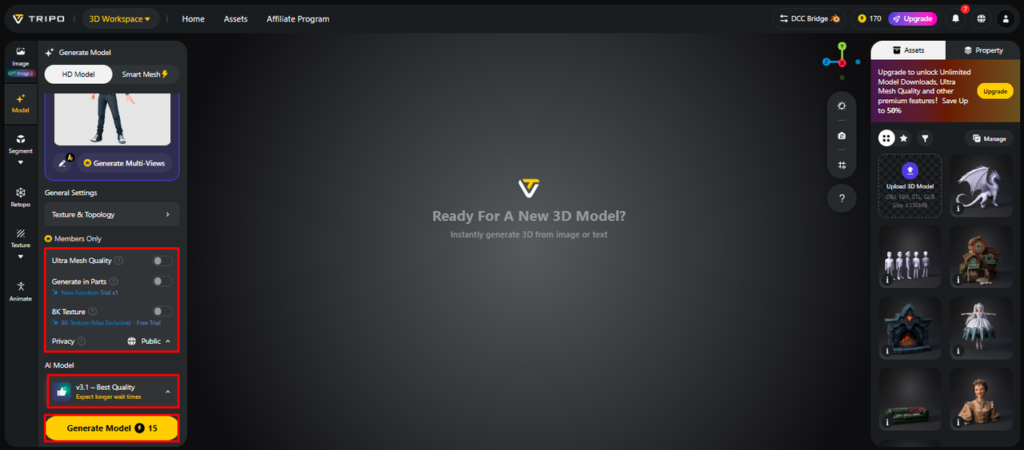
- Choose v3.1 best quality, v3.0 fast and balanced, or v2.5 legacy model version.
- Enable “Generate in Parts”, “8K Texture”, and “Privacy” if required.
- Click “Generate Model” to convert text into a full 3D mesh.
Step 3: Mesh Inspection and Export
- Inspect output using “Solid View”, “Cartoon Style”, “Sketch Style”, “Hologram Style”, or “Unlit”. Use “Refine” for improvements.
- Adjust camera and lighting via “Environment Settings” and “Reset Camera”.
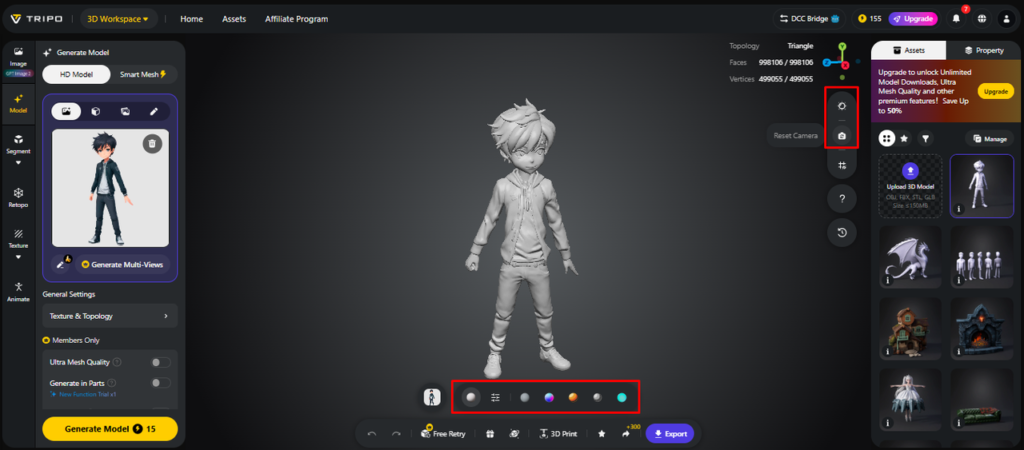
- Optionally prepare for fabrication using “3D Print”.
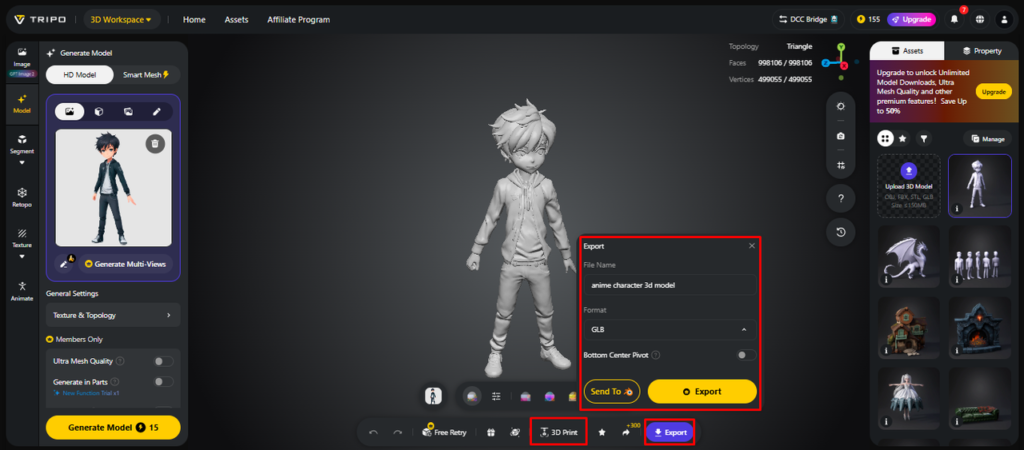
- Export your mesh through “Export”, set format and resolution, then confirm with “Export”.
Benefits of Instant 3D Creation for Modern Workflows
- The time of production is reduced from hours to seconds by the speed.
- Accessibility enables beginners to make professional 3D assets easily
- Iteration enables one to experiment with different designs quickly.
- Scalability is being utilized to develop large-scale assets for projects.
- Prompt modification can be accomplished as there is room for making rapid changes.
Enhancing Generated Meshes with AI Texturing Tools
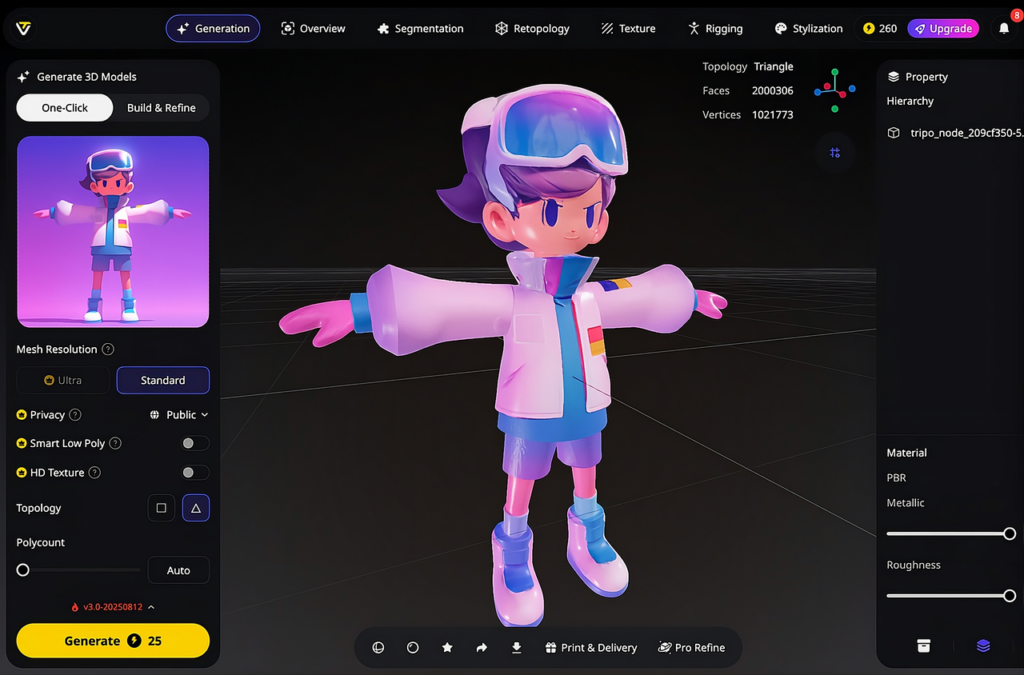
AI Texturing brings depth and material accuracy to the textures, enhancing the overall visual realism. Tripo 3D takes advantage of high-resolution textures, consistent with the geometry structure. Materials with PBR allow for the simulation of real lighting interactions on surfaces. Authentic details like scratches or patterns add to the authenticity. Magic brush tools enable local editing without having to rebuild models. These features help to keep assets consistent in their appearance and prototype-ready models. The enhancements to texturing also simplify the presentation of games, animation, and product visualization workflows.
Exporting Models for Production and Visualization
Exporting ensures consistency across a range of creative and technical platforms. STL is a format that enables 3D printing with high precision physical reproduction. OBJ files are a common format and can be used in a variety of modeling and rendering software. FBX format allows for animation pipelines and integration with game engines. When exporting models into image to 3d workflows, the structure, texture, and spatial accuracy of the models are preserved. Tripo 3D helps accelerate file pre-processing to support cross-platform applications. This flexibility allows you to move from one generation to another in professional environments seamlessly.
Conclusion
The conversion of text to 3D changes the way that digital assets are created and refined. It removes the old obstacles of the manual modeling process. The rapid creation and refinement of meshes with Tripo 3D helps speed up the ideation process, which eventually speeds up the production time. This implies that ideas can be converted to usable 3D content in an efficient and reliable way.
Leave a Reply