
A lot of conversation around AI video tools still falls into two extremes. One side treats them like magic, as if every static image can instantly become a cinematic sequence. The other side dismisses them as gimmicks that cannot support serious work. In practice, the truth is more useful and much less dramatic. A platform built around Image to Video AI is best understood not as a replacement for filmmaking and not as a toy, but as a practical layer between still imagery and full video production.
That middle layer matters more than it may seem. Many modern workflows already produce a large volume of static assets: product photos, concept art, social visuals, educational diagrams, lifestyle photography, event stills, and old archive material. What teams often cannot do is transform all of that material into motion at the same pace. This is where image-driven video generation becomes relevant. It helps users convert strong stills into moving assets without requiring a full edit suite, a camera crew, or a long production timeline.
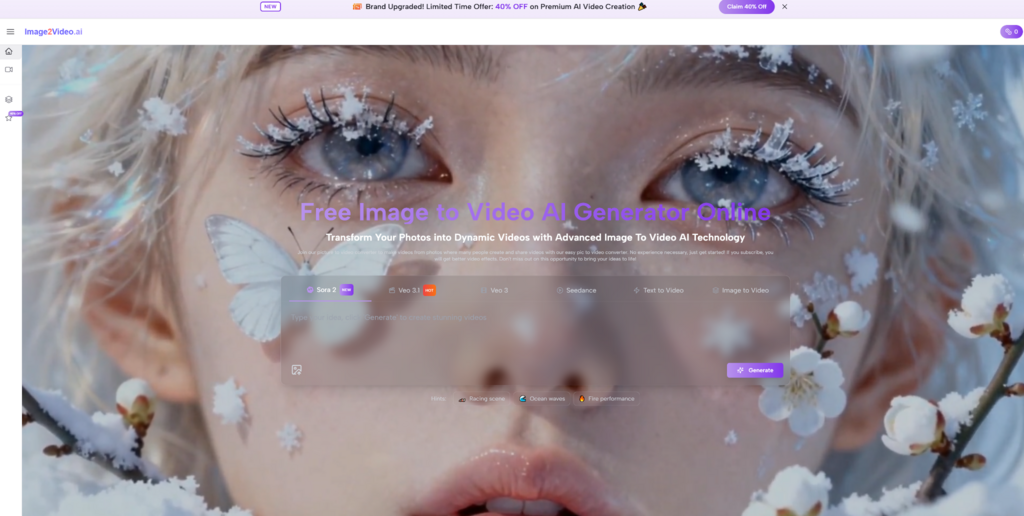
The most interesting shift is not technical complexity. It is creative accessibility. The platform reduces the amount of specialized labor between idea and output. Instead of asking users to manage a complicated timeline before they can test a concept, it lets them begin with a picture and a written instruction. In my view, that is why this type of tool keeps appearing in more workflows. It matches the needs of people who already have visuals and simply need those visuals to do more.
Why The Content Economy Rewards Motion Differently
The modern content environment does not treat all media equally. Static images still matter, but movement changes how attention is distributed. Motion signals immediacy. It interrupts scrolling. It creates rhythm where a still image can only imply it.
This is not only about social media trends. Motion also changes how information is processed. A moving product image can suggest use and texture more clearly. A moving portrait can create presence. A moving landscape can communicate atmosphere more effectively than a single frame alone.
Attention Is Now Structured By Sequence
A still image invites the viewer to scan. Motion invites the viewer to wait. That difference is powerful. Once a viewer waits even a few more seconds, the communication opportunity expands.
This is one reason image-to-video tools are useful even when the output is short. The goal is often not length. It is controlled attention.
Publishing Frequency Increases Pressure On Production
Teams today often need more assets than their production pipelines were originally designed to support. More channels, more tests, more campaign variations, and more frequent posting all create demand for motion.
A browser-based image-to-video tool meets that demand at a very specific point: after the still asset already exists, but before the cost of full custom video production becomes realistic.
The Category Works Because The Pressure Is Real
When a tool class keeps growing, it usually means it is solving a recurring operational problem. Here, the problem is not whether people like motion. It is whether they can afford to create enough of it using older methods alone.
What The Official Product Flow Suggests
The platform’s official process is relatively simple, and that simplicity is useful because it reveals what the product prioritizes.
The Image Comes First
The first step is uploading a JPEG or PNG image. That tells us immediately that the platform is oriented toward transformation rather than pure generation from nothing. The starting point is a visual asset the user brings to the system.
This makes the tool especially relevant for people who already have high-quality photos or designed visuals. The image is not just a placeholder. It is the central structural ingredient.
Text Prompting Provides Behavioral Direction
The next official step is writing a prompt. This is where the system departs from simple slideshow logic. The image does not merely gain automatic animation. It gains instructed motion.
That distinction matters because it gives the user creative influence without demanding technical editing skill. The system stays accessible, but it still requires intentional thinking.
The System Processes Rather Than Edits Live
The official page notes a processing stage that usually takes several minutes. This tells users that the platform works more like a generation queue than a live editing timeline. You define the request, submit it, and wait for the result.
That has both strengths and limitations. It keeps the interface clean, but it also means results emerge through generation rather than direct frame-by-frame refinement.
The Output Is Designed For Review And Distribution
Once the task is complete, the user reviews the generated result and can then download or share it. This reinforces that the platform is aimed at usable outputs, not endless adjustment.
The Narrow Workflow Is The Product Strategy
A lot of digital products add complexity in order to appear capable. This platform seems to do the opposite. It narrows the visible process so that more people will actually complete it.
Understanding The Tool Through Use Cases Instead Of Hype
One of the most reliable ways to judge whether a creative tool matters is to ask what kind of work becomes easier because it exists.
For Product And Commerce Teams
A commerce team may already have polished still imagery from a product shoot. Turning every product angle into a video by traditional means takes time and budget. A still-to-motion tool creates a more flexible bridge. It can help those teams produce motion assets for testing, ads, or detail pages without rebuilding the asset pipeline from scratch.
For Brand And Social Teams
Brand teams often need motion that feels current but does not always justify a dedicated video production cycle. A still image with intentional camera behavior or subtle animated emphasis can meet that need efficiently.
For Creators And Independent Publishers
Independent creators benefit from tools that reduce setup burden. Many already have artwork, photos, or visual concepts. What they need is a way to convert those assets into more dynamic content formats quickly.
For Archive And Memory Content
Some of the most compelling applications are not commercial at all. Old photographs and memory-oriented visuals gain emotional depth when movement is applied carefully. A subtle animated effect can make an image feel immediate without overwhelming the original subject.
Educational Use Is Easy To Overlook
The platform also has value for educational work. A visual explanation often becomes easier to understand once motion adds sequence. A guided animated progression can help viewers process structure more clearly than a static frame alone.
Why The Product Feels Broader Than One Generator
The site structure suggests that the platform is not only about one generic conversion box. It also includes neighboring generation modes and themed paths that map to different kinds of user intent.
The Product Speaks In Outcomes
Users are not all entering from the same mental starting point. Some want to animate an old photo. Some want stylized motion. Some want a more cinematic product presentation. Some simply want a moving clip from a strong still.
The product appears to recognize that users understand goals more easily than technical categories. That is a strength.
Themed Entry Pages Reduce Friction
When a platform names recognizable effects or use cases, it lowers the cognitive burden on new users. People do not have to translate their desire into technical language first. They can begin closer to their actual goal.
Camera Movement Is Part Of The Product Identity
The mention of pan, zoom, tilt, and rotation deserves attention. These are not just decorative feature words. They indicate that the platform sees motion as direction, not merely activity.
Movement Without Direction Often Feels Cheap
One reason some AI-generated clips fail is that they move without purpose. Controlled camera behavior can improve that. Even small directional choices can make a generated sequence feel more intentional and less random.
A Framework For Comparing Strengths And Trade Offs
The platform is easier to evaluate when its capabilities are understood alongside its limitations.
| Question | What This Platform Offers | What Users Should Keep In Mind |
| How do you start | With a still image and prompt | Source image quality matters a lot |
| How hard is setup | Relatively easy | Ease does not guarantee best results |
| How much manual control exists | Moderate through prompts and options | Less detailed than full editing suites |
| How fast is the first output | Faster than traditional production | Processing time still exists |
| Who benefits most | Teams with image libraries and content pressure | Less useful if you need deep manual precision |
| What kind of value stands out | Reuse, experimentation, accessibility | Iteration may still be necessary |
| What does it replace | Some low to mid complexity motion tasks | Not full custom video craft |
| What does it change | How still assets are valued | It changes workflow more than artistic fundamentals |
Where Realistic Expectations Help The Most
The strongest use of AI tools usually comes from people who understand both their potential and their boundaries.
Prompting Is Still A Skill
A simple interface does not mean direction becomes irrelevant. The better the prompt, the better the chance that movement will feel coherent. Users still need to think about pacing, emphasis, and suitability.
Good Images Still Matter More Than People Think
If the source image is weak, cluttered, or visually confusing, the generated motion may not solve that problem. In many cases, strong visual fundamentals remain the biggest predictor of a convincing result.
Iteration Should Be Expected
A first Photo to Video render may be good enough, but often the stronger result appears after one or two revisions. This is not unusual. It is part of working with generative tools that interpret direction rather than obeying timeline edits exactly.
Convenience Has A Shape
The platform is clearly optimized for accessibility, speed of setup, and output readiness. That makes it useful. It also means its strongest role is not total manual control, but efficient generation from an existing visual base.
A Different Way To Understand Its Importance
What makes this category important is not simply that it can animate images. It is that it changes the economics of trying motion-based ideas.
Experimentation Becomes Cheaper
When users can move from still asset to working video clip with less friction, they try more ideas. More ideas usually lead to better outcomes, especially in fast publishing environments.
Asset Libraries Become More Valuable
Photo archives, product galleries, and design folders gain a second life when they can serve as motion sources. That shifts how teams think about content storage and reuse.
Creative Participation Widens
Not everyone can master advanced editing systems. But many people can upload an image, describe a desired effect, wait for processing, and evaluate the result. That matters because it broadens who gets to participate in visual storytelling.
This Is Why The Tool Makes Sense Now
The modern content environment rewards adaptable assets, repeatable workflows, and manageable production layers. A browser-first image-to-video platform sits directly inside that need. It does not need to replace traditional filmmaking to be valuable. It only needs to make still imagery more active, more reusable, and more publishable. Judged on that basis, its relevance is easy to understand.
Leave a Reply