Marketers looking to cut down the time spent on A/B testing ad creatives often turn to text-to-image generators with a specific, flawed expectation. The assumption is that a detailed sentence will immediately yield a ready-to-publish asset. What actually happens is a sudden, sharp collision with the reality of AI prompting. The speed of generation is high, but the speed of usable, brand-aligned generation is an entirely different metric.
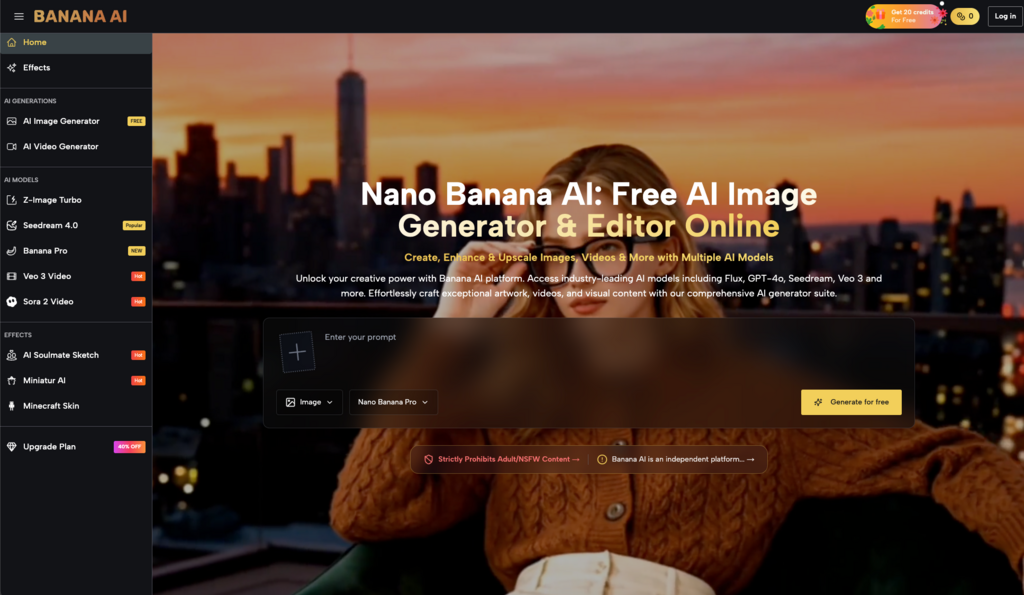
Enter platforms like Banana AI, which positions itself as a free, all-in-one AI image creator and editor. It offers access to a roster of well-known models, including Flux, GPT-4o, and its own Nano Banana. On paper, this solves the immediate problem of access and variety. But for a marketing team trying to run low-cost creative testing, access is only the first hurdle. The real challenge is workflow integration.
The first impression can be misleading when you type a quick concept and receive a visually striking result. It feels like a massive shortcut. Yet, what people often notice after a few tries is that “striking” does not always mean “commercially viable.” Transitioning from traditional visual sourcing to an AI-assisted workflow requires a complete reset of how a team evaluates time, effort, and creative control.
The initial mismatch between speed and usability
When a marketing team first integrates an AI image generator into their daily routine, the initial phase is almost always characterized by overconfidence. A social media manager might need a background for a product shot or a conceptual illustration for a blog post. They feed a prompt into the system, and the visual appears in seconds.
But this is where the novelty wears off. The generated asset might have a strange artifact in the corner, or the lighting might clash with the brand’s established visual identity. The marketer then enters a loop of endless prompt tweaking. They add adjectives. They remove commas. They try to force the algorithm to understand a very specific corporate aesthetic.
This is the primary friction point of early adoption. The promise of a free tool like Banana AI is that it removes the financial barrier to entry for visual experimentation. However, it does not remove the time cost of learning how to communicate with the machine. Beginners usually misunderstand this trade-off. They assume the AI will act as an experienced art director who understands implicit brand rules. In reality, it acts more like an incredibly fast, highly literal junior designer who requires constant, precise supervision.
For low-cost creative testing, this means the time you save by not searching through stock photo libraries is often reallocated to prompt engineering and output curation. You are no longer searching for the right image; you are trying to coax it into existence.
Navigating a multi-model environment
One of the defining characteristics of Banana AI is its inclusion of multiple generation models. Users are not locked into a single algorithmic interpretation of their text; they can route their prompts through Flux, GPT-4o, or Nano Banana.
For a marketer running rapid visual tests, this sounds like a pure advantage. If one model fails to grasp the concept of “a minimalist desk setup with warm morning light,” another might interpret the spatial relationships more accurately.
In my experience watching teams adopt these platforms, however, having multiple models requires a highly disciplined approach to testing. It is easy to fall into the trap of endlessly cycling through the available options, hoping the next generation will magically fix a fundamentally flawed prompt. Each model has its own distinct flavor, its own way of handling contrast, and its own typical failure states.
A Banana AI image generated by Flux will likely have a different textural quality and compositional logic than one generated by Nano Banana. The workflow trade-off here is clear: you gain versatility, but you must invest the time to learn the quirks of multiple separate systems. Having access to multiple models doesn’t automatically solve the problem of brand consistency; in fact, it introduces more variables into your testing environment. If you are running A/B tests for Facebook ads, you have to decide if that learning curve is worth the flexibility it provides.
Where generation ends and editing begins
Generating the base visual is rarely the final step in a commercial workflow. What people often notice after a few tries is that generating the base image is only 20% of the task. The part that usually takes longer than expected is the revision phase. You often end up with an image that is 90% perfect, but the remaining 10% renders it unusable for a live campaign.
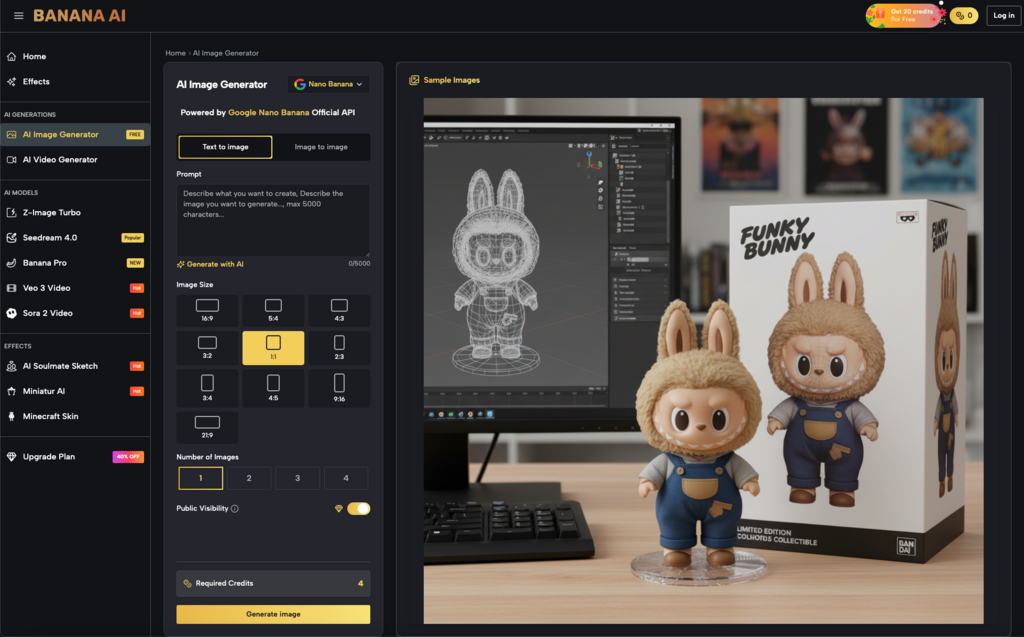
Banana AI includes AI photo editing capabilities alongside its text-to-image generation. This is a critical distinction for marketers, as the ability to edit within the same environment theoretically reduces the need to export files to heavy desktop software just to remove a stray object or adjust a background element. The goal of an all-in-one tool is to keep the user in a single continuous workflow from ideation to final polish.
Yet, caution is strictly necessary here. Because the platform is described broadly as an all-in-one editor, it is tempting to assume it can handle complex, multi-layered compositing or precise brand color matching. Based on the baseline product description alone, we cannot conclude the depth of its masking precision, its layer management capabilities, or its ability to handle nuanced color grading.
Marketers evaluating this tool should expect to use its AI editing features for broad strokes—perhaps extending a background to fit a 16:9 ad format, or erasing an obvious anomaly generated by the initial prompt. For surgical, pixel-perfect retouching, human judgment and dedicated manual tools will likely still be required. The AI gets you to a strong rough draft; it rarely delivers the final mechanical file without human intervention.
The baseline for evaluating a free tool
When a platform is free, the financial risk is zero, but the operational risk remains very real. The decision is less about the tool itself and more about how much time your team is willing to spend wrestling with prompts versus executing their actual marketing strategy.
If a social media manager spends two hours trying to force an AI to generate a specific lifestyle image that could have been purchased from a stock library in ten minutes, the “free” tool has actually cost the business money in lost productivity. Evaluation at this stage requires looking past the impressive technology and focusing strictly on utility. Does this tool allow us to test more creative concepts in less time, or does it just create a new bottleneck in the production pipeline?
Testing before committing the workflow
Evaluating an AI visual tool requires a deliberate, bounded experiment. You cannot judge its utility based on a single, lucky generation, nor should you discard it because the first three attempts looked bizarre.
To truly understand if a multi-model platform fits into a low-cost creative testing strategy, you have to push it through a realistic scenario. Take a brief for an upcoming social media campaign. Attempt to generate the necessary assets using Flux, then try the exact same prompts with Nano Banana to observe the variance. Use the built-in AI editing tools to crop, adjust, and refine the best outputs. Document how long the entire process takes compared to your traditional methods.
Do not build a monthly content calendar around a free generation tool until you have successfully taken at least three images from raw concept to a final, published state. Only through that complete cycle will you know where the AI speed genuinely helps, and where it simply creates a different kind of manual work.
Leave a Reply