
Every video needs a soundtrack — but not every creator has the budget for a custom composer or the patience to dig through stock music libraries hoping to find something that fits. Musick AI, an AI Music Generator that offers a simpler path: describe the mood you want, pick a genre, and get a full, original track in minutes — no instruments, no music theory, and no studio time required.
I. The Real Cost of Background Music
Finding the right background music used to mean one of three things: paying a composer, buying a stock license, or taking your chances with unlicensed audio. All three carry tradeoffs — cost, creative mismatch, or copyright risk. For YouTubers, podcast producers, indie filmmakers, and social media creators, none of these options feel right when working alone or on a tight schedule.
Royalty-free doesn’t always mean free, either. Many stock music services charge per track, per project, or lock creators into annual subscriptions that still limit commercial use. The gap between “affordable music” and “music that actually works for my content” is wider than most people expect.
II. What Musick AI Actually Does
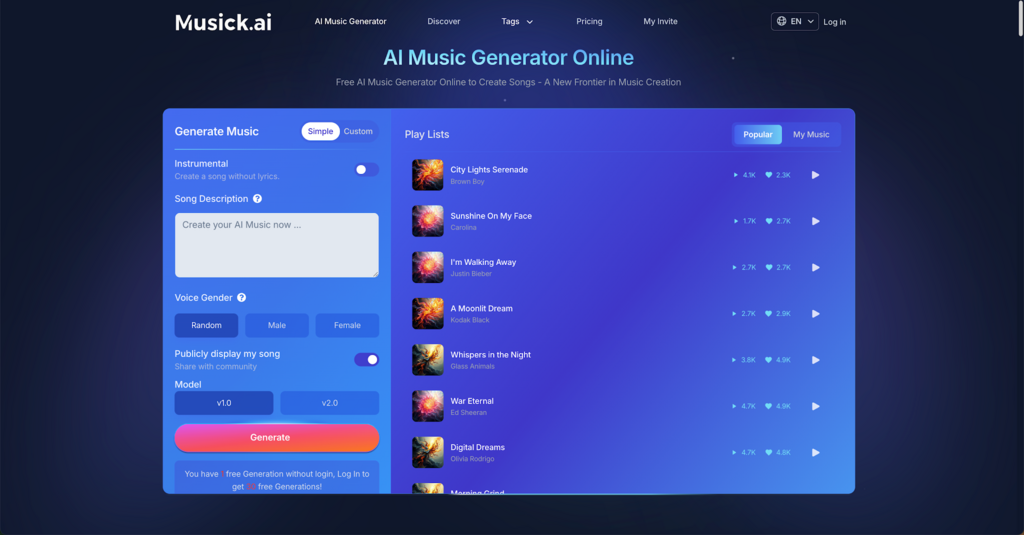
Musick AI is a browser-based tool that generates original music using AI. Users type a short text description — sometimes just a few words about a genre, mood, or theme — and the system produces a complete track, vocals included if wanted. The music is built fresh each time, so there are no licensing conflicts, no attribution requirements, and no risk of a copyright claim appearing on a published video.
Every track generated by Musick AI carries a commercial license and is royalty-free, making it usable on YouTube, Instagram, TikTok, Facebook, and similar channels. The service states clearly that its music is created with full consent and strict adherence to copyright laws — which removes the legal guesswork that often catches independent creators off guard.
III. Features That Make a Difference
Musick AI comes with a set of focused tools rather than one generic generation button.
Core Generation Tools
- AI Song Lyrics Generator — Input a genre or theme and generate matching lyrics automatically. Useful for creators who want vocal tracks but don’t write songs themselves.
- AI Beat Producer — Write down melody notes and build custom beats from the ground up.
- AI Rap Generator — Select a genre, enter a concept, and generate rap-style tracks with proper flow and structure.
Track Customization Options
- Instrumental Mode — Generates tracks without any lyrics. Ideal for narration, tutorials, product demos, or ambient video content where a voice is already carrying the audio.
- Vocalist Gender Selection — Choose between a male or female vocal, giving more control over tone and character.
- Text Prompt Input — Describe tempo, instrumentation, energy level, and mood in plain language. The more specific the input, the more targeted the output.
As an AI Music Maker, Musick AI keeps all of these tools inside one interface, so there’s no need to switch between different apps to finish a track.
IV. Genres and Styles Available
One of the more practical aspects of Musick AI is the range of genres on offer through its Music Plaza section: EDM, R&B, Jazz, Pop, Rap, Metal, Rock and Roll, Hip-Hop, Blues, Reggae, Saxophone, K-Pop, Classical, Disco, and Country.
This variety matters because the right background music for a travel vlog sounds very different from what works for a gaming highlight reel or a corporate explainer. Having genre-specific options means less time experimenting with vague prompts and more time finishing the actual video.
V. How to Get Your First Track
The process is direct and doesn’t require any music background:
- Open Musick AI in a browser and go to the generator.
- Type a description in the prompt box — for example, “upbeat acoustic pop for a cooking tutorial” or “tense cinematic strings for a short film opening.”
- Choose a genre from the available list if preferred.
- Select whether the track should include vocals or stay instrumental.
- If vocals are selected, choose the vocalist gender.
- Hit generate and wait for the track to build.
- Preview the result and download if it fits the project.
For short-form content, Musick AI can produce loops in the 15–30 second range — exactly the length needed for Instagram Reels, TikTok clips, or YouTube Shorts intros.
VI. Where This Fits in a Creator’s Workflow
AI Music tools work best when they’re built into a regular production routine rather than treated as a last-minute fix. For video creators, this usually means generating music alongside the edit rather than searching for tracks after the footage is already locked.
Musick AI fits naturally here because each generation is fast enough to test multiple options without breaking creative momentum. A creator can produce three or four variations of the same concept, audition each one against the video cut, and move forward with the best fit — all within a single session.
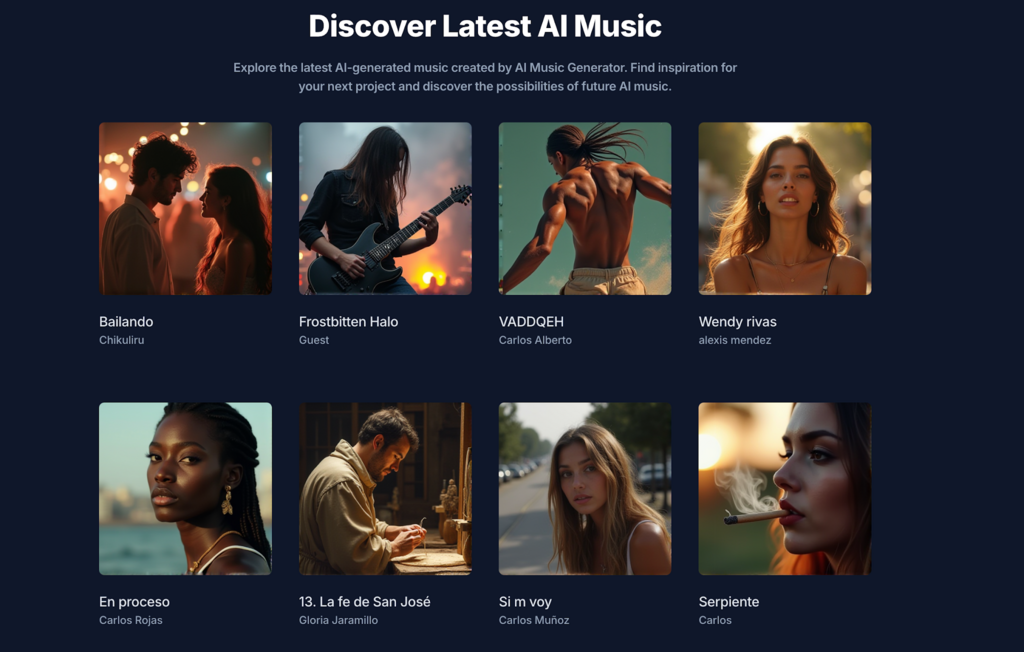
The Discover section of Musick AI also gives creators a space to browse community-created tracks for inspiration, which is helpful when stuck on how to describe a mood or style in a prompt.
VII. Tips for Stronger Results
Getting consistently useful output from an AI Song Maker comes down to how clearly the prompt is written. A few habits that help:
- Lead with the emotion. Words like melancholic, energetic, tense, or warm give the generator a clear tonal direction before any genre is specified.
- Reference the actual use case. Describing the video context — “background for a product walkthrough” or “intro for a fitness channel” — helps match the energy level to what the content actually needs.
- Avoid artist names. The tool recommends using genres and vibes rather than specific artist references. This produces more original results and avoids copyright grey areas.
- Go instrumental for narrated content. When a voiceover or dialogue is the centerpiece, a lyric-free track keeps the audio mix clean and professional.
- Iterate quickly. Each generation takes only a short time, so running several prompts before settling on one costs very little and often yields a noticeably better result.
Musick AI has been featured on Xound.io’s list of the Top 50 AI Music Generators in 2025. For content creators who are tired of copyright worries, stock music fees, and the difficulty of finding tracks that actually match their content, it offers a straightforward and reliable solution built around the specific needs of video production.
Leave a Reply