
The current discourse around generative media often suffers from a fixation on technical specifications that don’t translate to actual production value. When evaluating a tool, most teams default to a checklist: resolution, duration, and frames per second. While these metrics matter for delivery, they say almost nothing about the tool’s utility in a professional workflow. A 10-second clip that lacks temporal consistency is arguably less valuable than a 3-second clip that perfectly maintains subject identity.
To move beyond the surface, creators need a “comparison lens” that focuses on the operator’s experience and the reliability of the output. Comparing an AI Video Generator to another isn’t about finding the one with the most buttons; it’s about identifying which engine understands the physics of motion and the nuances of creative intent.
Moving Beyond the Feature Checklist
Feature lists are deceptive because they treat generative AI as a deterministic tool, like a video editor or a color grading suite. If a traditional editor has a “blur” tool, you know exactly what that blur will look like. In the world of generative media, two different platforms might both claim to offer “cinematic lighting,” but the underlying models—whether it’s a proprietary build or an implementation of Kling, Sora, or Veo—will interpret that prompt with massive variance.
The real comparison should begin with “Prompt Adherence vs. Aesthetic Autonomy.” Some models are incredibly obedient to the text but produce “uncanny” or plastic-looking textures. Others take significant creative liberties, ignoring half your prompt to deliver a visually stunning, if slightly irrelevant, shot. For an operator, the “best” tool is often the one that provides the most predictable middle ground. If you cannot predict the failure state of the tool, you cannot build a production schedule around it.
The Latency of Creative Intent
In a production environment, time is rarely lost in the rendering phase; it is lost in the iteration loop. This is the “Latency of Creative Intent.” If an AI Video Generator takes three minutes to generate a preview, but those previews are consistently 80% of the way to the final goal, it is superior to a tool that generates in thirty seconds but requires twenty attempts to get the motion right.
We must acknowledge a hard limitation here: currently, no model perfectly bridges the gap between text prompts and complex spatial reasoning. If you prompt for a character “picking up a glass and drinking,” most systems will struggle with the hand-to-glass interaction or the fluid dynamics. Expecting a tool to solve this perfectly on the first try is unrealistic. A savvy creator compares tools based on how easily they allow for “correction”—whether through motion brushes, seed control, or localized in-painting.
Temporal Integrity and the Identity Problem
One of the most significant hurdles in AI video is temporal integrity—the ability of the AI to keep a subject looking the same from frame 1 to frame 120. When comparing tools, the “lens” should focus on “Identity Drift.”
Watch the background elements and the fine details of the subject’s face. Does the sweater change texture mid-shot? Does a background window turn into a door? An AI Video Generator that prioritizes high-frequency detail at the expense of structural stability is often a liability in storytelling. You can sharpen a soft image, but you cannot easily fix a character whose bone structure shifts every half-second.
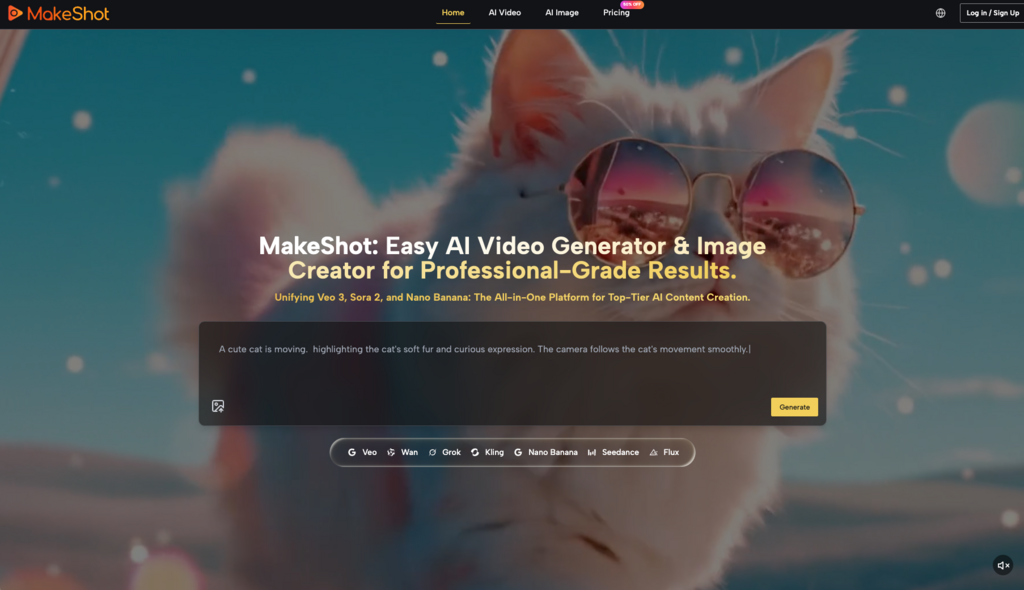
This is where the difference between models like Runway, Luma, or the various engines available on MakeShot becomes apparent. Some are optimized for “high motion,” accepting a bit of blur to achieve realistic kinetic energy. Others are “portrait-first,” keeping the subject sharp but often resulting in “talking head” stiffness.
Workflow Integration Over Standalone Power
A common mistake is evaluating these tools as standalone islands. In reality, a generative tool is usually just one stop in a pipeline that includes Premiere, After Effects, or DaVinci Resolve.
When comparing an AI Video Generator, look at the export flexibility. Does it provide clean metadata? Is the upscaling internal and high-quality, or does it introduce “hallucinated” artifacts that make post-processing a nightmare? An operator-led approach favors tools that play well with others. For instance, if a tool generates video in a proprietary aspect ratio that requires heavy cropping, it effectively reduces your usable resolution.
There is also the matter of “Multi-Model Agnosticism.” The industry moves so fast that locking into a single model is a strategic risk. Platforms that aggregate multiple top-tier engines—like Google Veo, Kling, or Nano Banana—allow creators to swap the “brain” of their project without changing their entire interface or billing structure. This flexibility is often more valuable than a single niche feature.
The “Good Shot” Ratio: A Practical Rubric
If we want to compare tools scientifically, we should look at the “Good Shot” ratio. This is a simple calculation: how many generations does it take to get one usable, production-grade clip?
1. Zero-Shot Success: How often does the first prompt produce something usable? 2. Revision Efficiency: When a shot fails, can the tool’s settings (motion sliders, camera controls) fix it in one go? 3. Visual Cohesion: If you generate ten clips using the same style prompt, do they look like they belong in the same movie?
In my experience, many tools boast about “4K output,” but their “Good Shot” ratio is abysmal. You might spend two hours and fifty credits to get a single 4K clip that doesn’t have a third arm growing out of the protagonist’s neck. Conversely, a more modest AI Video Generator might produce 720p or 1080p clips with a 50% success rate. For a performance marketer or a social media manager, the latter is the objectively better tool.

The Uncertainty of Physics and Human Motion
We must be honest about the current state of the technology: AI still doesn’t understand “why” things move; it only understands “how” pixels usually shift. This leads to a second moment of uncertainty for the creator. Even the most advanced AI Video Generator will occasionally fail at basic physics—gravity might work backwards, or objects might merge into one another.
When comparing tools, look at how they handle “Complex Motion.” A tool that can successfully render a person walking through a crowded street without the legs clipping through the sidewalk is light years ahead of one that can only render a sunset. The “comparison lens” here should be “Structural Logic.” Does the AI maintain the 3D volume of an object as it rotates, or does it flatten into a 2D texture?
Cost-to-Value Mapping
Finally, the comparison must account for the commercial reality of the creator. “Free” or “Cheap” is a trap if the tool wastes your most expensive resource: time.
A professional-grade AI Video Generator should be evaluated on its ability to reduce the “Trial and Error” tax. This includes: Prompt Suggestion Engines: Tools that help refine your input to match the model’s specific “vocabulary.” Speed of Preview: Low-res “fast” generations that let you check composition before committing to a high-res “slow” render. Control Granularity: The ability to dictate camera movement (pan, tilt, zoom) rather than leaving it to the AI’s whim.
If a tool forces you to be a “prompt gambler,” it isn’t a professional tool; it’s a toy. The shift toward “operator-style” controls is the clearest indicator that the industry is maturing.
Building a Resilient Creative Stack
The “Comparison Lens” isn’t a static document; it’s a shifting perspective. Today, you might prioritize a tool that handles realistic human faces. Tomorrow, your project might require abstract, high-motion transitions that a different model handles better.
The goal of using an AI Video Generator is not to replace the creative process, but to compress the distance between an idea and a visual asset. By focusing on workflow integration, identity stability, and the “Good Shot” ratio, creators can avoid the hype of feature lists and build a toolkit that actually delivers.
Don’t buy into the “one tool to rule them all” narrative. The most successful AI creators are those who understand the specific strengths and failure modes of each engine. They treat the AI not as a magic box, but as a highly specialized, somewhat temperamental digital cinematographer. When you view the market through that lens, the right choice becomes much clearer. The best tool isn’t the one with the longest feature list—it’s the one that gets out of your way and lets you finish the edit.
Leave a Reply